
How to Integrate Wishlist 1-Click Registration with ConvertKit
Wishlist Member integrates with ConvertKit autoresponder service, which means that Wishlist 1-Click Registration can also integrate with ConvertKit.
This is the relevant registration link within Wishlist 1-Click Registration settings » Generator after you generate it:
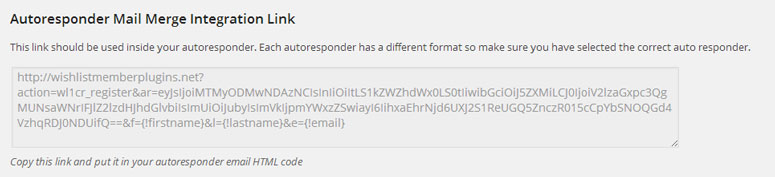
In order for Wishlist 1-Click Registration autoresponder registration link to work you will need to change the place holders in the link that is generated (this is the link you copy-paste inside your autoresponder email) with the correct format used by your autoresponder service.
If you don’t know what the correct place-holders are, you will need to contact ConvertKit and ask them.
Here is an example link (the place holders are in bold):
http://yourdomain.com?action=wl1cr_register&ar=eyJDGTFGGHFHFHMwNDAzNCIsInIiOiItLS1kZWZhdWx0LS0tIiwibGciOiJ5ZXMiLCJ0IjoiV2lzaGxpc3QgMUNsaWNrIFJlZ2lzdHJhdGlvbiIsImUiOiJubyIsImVkIjpmYWxzZSwiayI6IihxaEhrNjd6UXJ2S1ReUGQ5ZnczR015cCpYbSNOQGd4VzhqRDJ0NDUifQ==&f={!firstname}&l={!lastname}&e={!email}
As far as we know, ConvertKit does not make use of Surename, so you can simply remove the last name place holder from the link and the registration will work correctly.