
What information can I display to members using the shortcodes?
[FAQ]
In this article we go over how your members get their login information after the registration process is complete.
This article is relevant to the following plugins:
Since the registration process is done automatically the the plugin and your members are redirected to the thank you page (or any other page you choose), we have created unique shortcodes that allow you to display important information to your members.
These shortcodes can be bound inside the plugin under Dashboard tab as seen in the below screenshot:
(Just for the example we display Wishlist 1-Click Registration shortcodes in the screenshot)
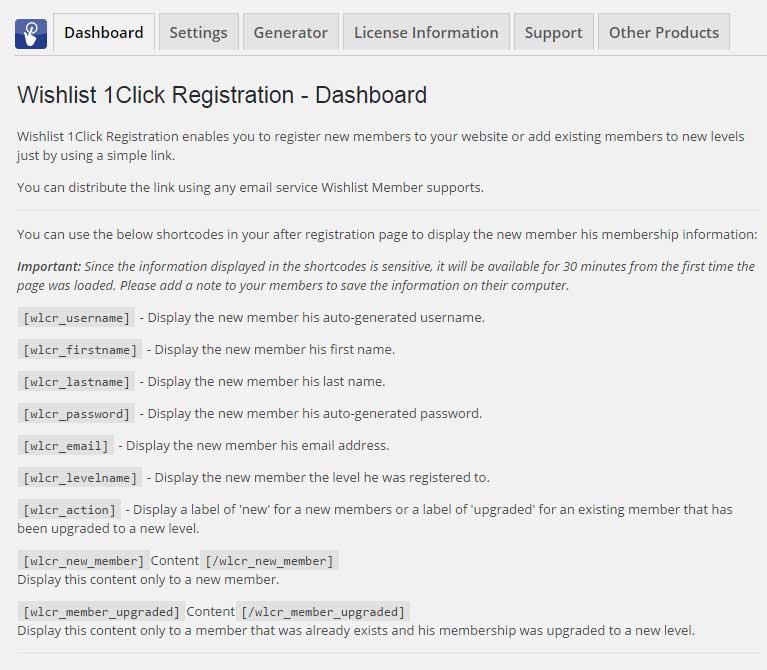
This is the information you can display using the shortcodes:
- Username (auto-generated)
- First name
- Last name
- Password (auto-generated)
- Registration email
- Membership level
- Receipt number
- Action (new/ upgrade)
- A content box with your message