Introduction to Wishlist Pay Per Post Shortcodes
Wishlist Pay Per Post Shortcodes allows you to create the perfect flow for your membership site by easily
manage your paid posts using shortcodes and a sidebar widget and even display different messages according to each user’s status.
The Shortcodes
These shortcodes allows you to display certain content to specific users only, including:
- Making specific content inside the post visible only to visitors who hadn’t bought the post
- Making specific content inside the post visible only to members who has bought the post
- Displaying a list of all the posts a certain member has bought
- Displaying the member his last purchased post
These are the available shortcodes:
[table id=5 /]The Sidebar Widget
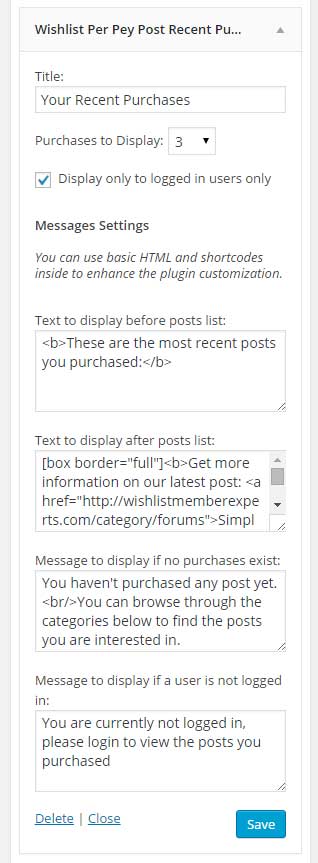
The sidebar widget allows you to display a list of the user’s most recent purchased posts in the sidebar.
The sidebar widget includes the following options:
- Title – The title of the widget
- Purchases to Display – You can choose to display between 1 to 10 posts that will be organized according to purchase date
- Display only to logged-in users – Check the box to display the widget only to logged-in users
- Messages Settings – You can use HTML and shortcodes inside the messages
- Text to display before posts list
- Text to display after posts list
- Message to display if no purchases exist
- Message to display if a user is not logged in
Here is a screenshot of the sidebar widget:
The Messages
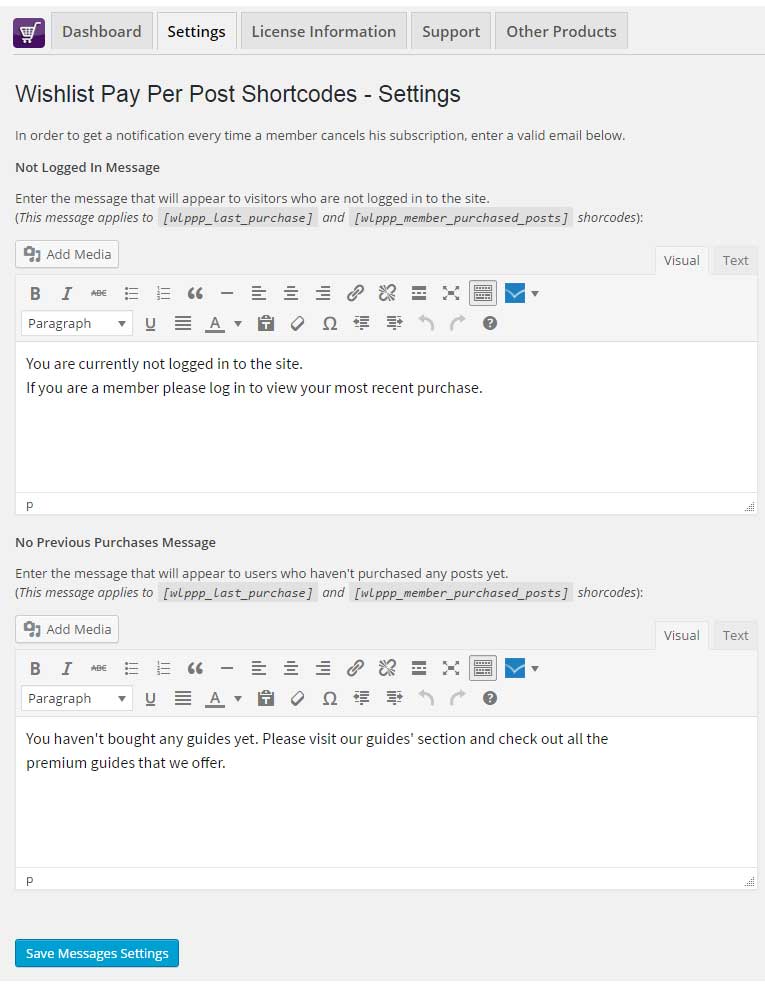
Using the plugin you can also display different messages according to the user’s status:
- Users who are not logged-in to the website
- Users who are logged-in, but haven’t purchased any pay-per-post yet
The correct message will be automatically displayed by the shortcodes.
In the Settings tab you can easily customize the messages to your needs as you can see in the below screenshot: