
Plugin Download
In this article we go over where you can download the zip file of any plugin purchased at HappyPlugins.
After completing the purchase, you will find the zip file download link in 3 places:
1. In the Purchase Confirmation Page
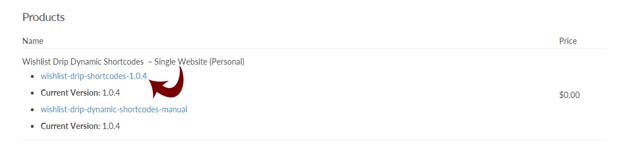
After you complete the purchase you will be redirected to the Purchase Confirmation page, there you will be able to view all the details of your purchase, download your invoice, the plugin’s zip file and manual etc.
To download the zip file scroll down to the Products title as seen in the below screenshot:
2. In the Purchase Receipt
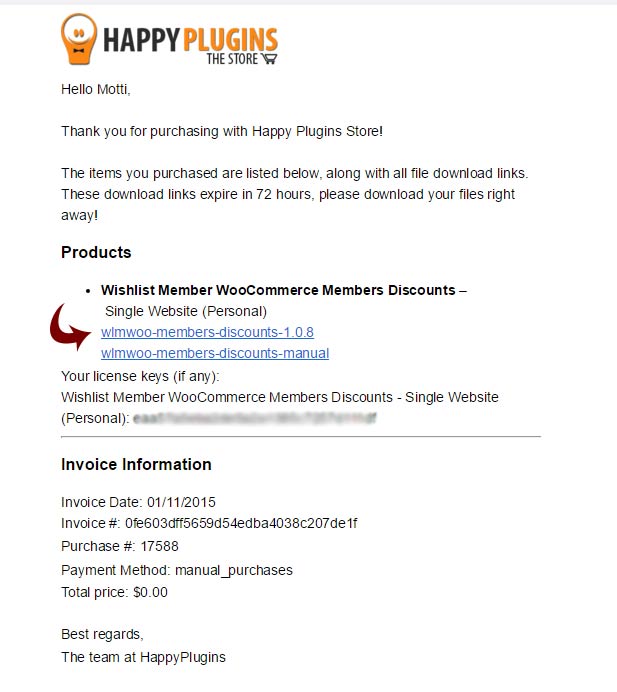
After you complete a purchase at HappyPlugins store you get the purchase receipt by mail, there you will find the plugin’s zip file, manual and license key as seen in the below screenshot:
3. Under My Account > Products > Files Column
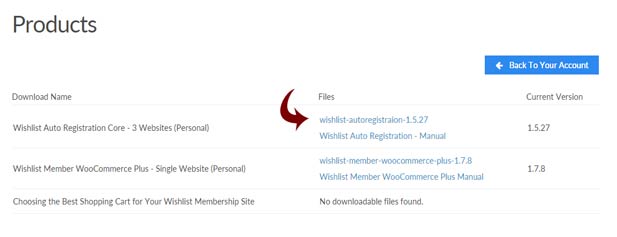
You can login to your account at HappyPlugins and download your plugins zip files and manuals from the Products tab as seen in the below screenshot:
Please Note:
Add-ons do not have a zip file, their license is installed from within the main plugin’s settings after activating it.
To activate the relevant add-on’s license follow the steps of the relevant plugin’s manual.